Create a new project in ePLAN
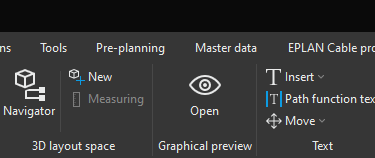
To create a new project or a new project file in ePLAN click on File.

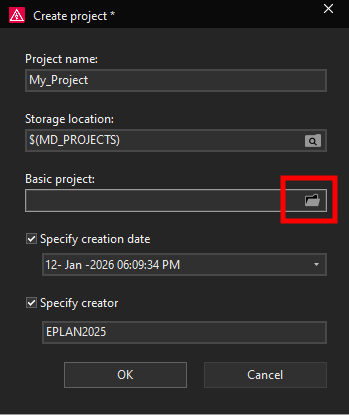
Now the Create project window will open, we will give the project a new name in this example My_Project. Change the name according to your requirements.
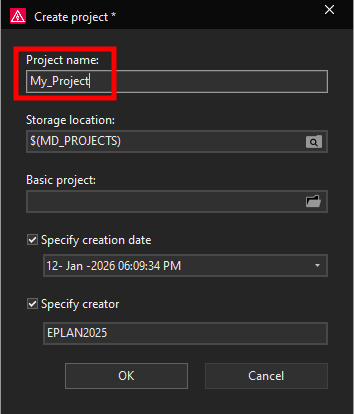
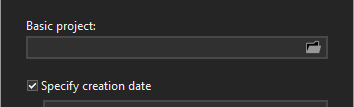
You can change the Storage location for the project however it is recommended to use the storage location according to ePLAN settings. Project storage location as well as the storage locations for other ePLAN files can be defined and changed in the Settings. In this case we will leave the storage location as is defined by default. Next you have the option to select the Basic project, a basic project in ePLAN is a predefined project template that contains default settings, structures, pages, and reports. By default when you install the ePLAN program you have options of choosing between a couple of basic projects.
EPLAN_Tutorial --- Tutorial project used to demonstrate basic EPLAN functionality and general electrical design concepts, independent of a specific standard.
EPLAN_Tutorial_NFPA --- Tutorial project demonstrating EPLAN functions using NFPA-based structures and conventions.
FL_1219_2_bas001 --- Example basic project based on a specific functional or industry-related configuration, intended for demonstration and testing.
FL_bas001 --- Generic functional-location based basic project illustrating structured electrical documentation.
GB_bas001 --- Basic project aligned with GB (Chinese) electrical standards, provided for learning and comparison purposes.
GOST_bas001 --- Basic project based on GOST standards, demonstrating documentation and structuring according to Russian norms.
IEC_bas001 --- Standard IEC-based basic project showing typical IEC structure identifiers, page types, and documentation logic.
IEC_bas003 --- Alternative IEC basic project variant with different predefined settings or structures for demonstration.
IEC_bas003_sample_project --- Sample IEC project containing example documentation to illustrate typical IEC project content.
NFPA_mm_bas001 --- NFPA-based basic project using multi-line schematic representation, intended for learning NFPA-style documentation.
To select a basic project template click on the folder icon in the basic project field.
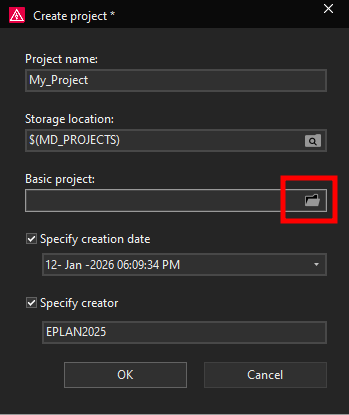
Now you can select a basic project that you would like to use as a template when creating the new project. In this example we will select the IEC_bas001 basic project.
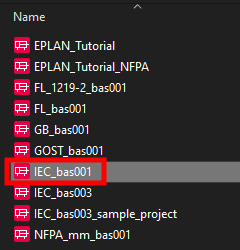
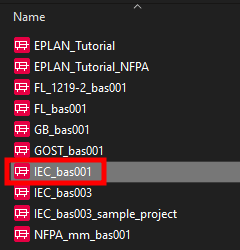
Basic projects in ePLAN have a file name extension .zw9, this is how you can recognize a basic project when looking at ePLAN files.
Lastly you can set the creation date and you can specify the creator by checking those options.
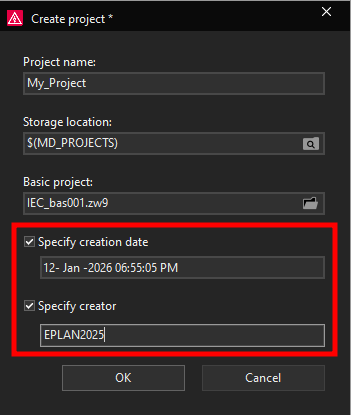
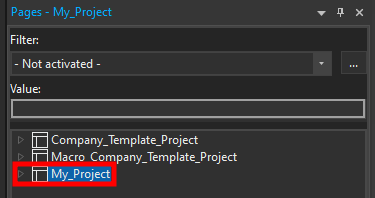
When you are finished selecting the options for creating a new project click on the OK button. Now the project will be created and once the project has been created you can see it in the page navigator.